Open source, MIT
Use it, change it, ship it — at home, in a lab or in production, commercially or not. The MIT License asks only that you keep the copyright notice.
Free & open source · MIT license
LSX-VE turns a bare server into a virtualization host: install it from its own ISO, read the management address on the direct console and run virtual machines, containers, storage and networking from a complete web console. Familiar if you have ever run ESXi — but every line is MIT licensed, with no license keys and no subscriptions.
01 — Why LSX-VE
The easy-to-use, appliance-style hypervisor used to be a commercial product. LSX-VE brings that experience to open source — on the same KVM foundation that runs much of the public cloud.
Use it, change it, ship it — at home, in a lab or in production, commercially or not. The MIT License asks only that you keep the copyright notice.
No license keys, no feature tiers, no trial period and no limits on hosts, cores or VMs. Every feature on this page is in the one free edition.
KVM, QEMU, libvirt, LXC and Rocky Linux 9 do the heavy lifting. LSX-VE adds the installer, the consoles and the guard rails — nothing proprietary underneath.
A small, layered codebase with a documented architecture and security model. Read exactly what runs as root before you trust it with your hosts.
02 — Features
From the installer to alarms — one appliance, one console, no generic server panel bolted on top.
UEFI and legacy BIOS, hybrid USB/DVD image. Fixed GPT + ext4 layout; the disk is erased only after you type its device name.
Status screen on tty1 with the management URL and service health. F2 configures the management network with automatic rollback, SSH, lockdown and more.
6-step wizard, UEFI, Secure Boot, vTPM, snapshots, clones, templates, hot add, PCI/USB passthrough, OVA import/export and a noVNC console.
Unprivileged system containers from linuxcontainers.org images or your own rootfs, with CPU, memory and disk limits, snapshots and a browser terminal.
Directory, NFS, LVM and iSCSI datastores, a datastore browser, ISO library with streaming upload, VM import from OVA/VMDK/VHDX/VDI and SMART health.
Virtual switches and port groups with VLAN IDs, bridges, bonds and VLANs. Every change runs in a NetworkManager checkpoint and rolls back unless you confirm it.
Performance history for host and VMs, sensors, alarms with thresholds, events, tasks with progress, journal viewer and audit log.
Maintenance mode, ordered VM autostart, users and roles, certificates, firewall, remote syslog, SNMP, power policy and a support bundle.
One click mounts an ISO with VirtIO drivers and the QEMU guest agent; the VM page then shows guest OS, DNS name and IP addresses.
03 — Web console
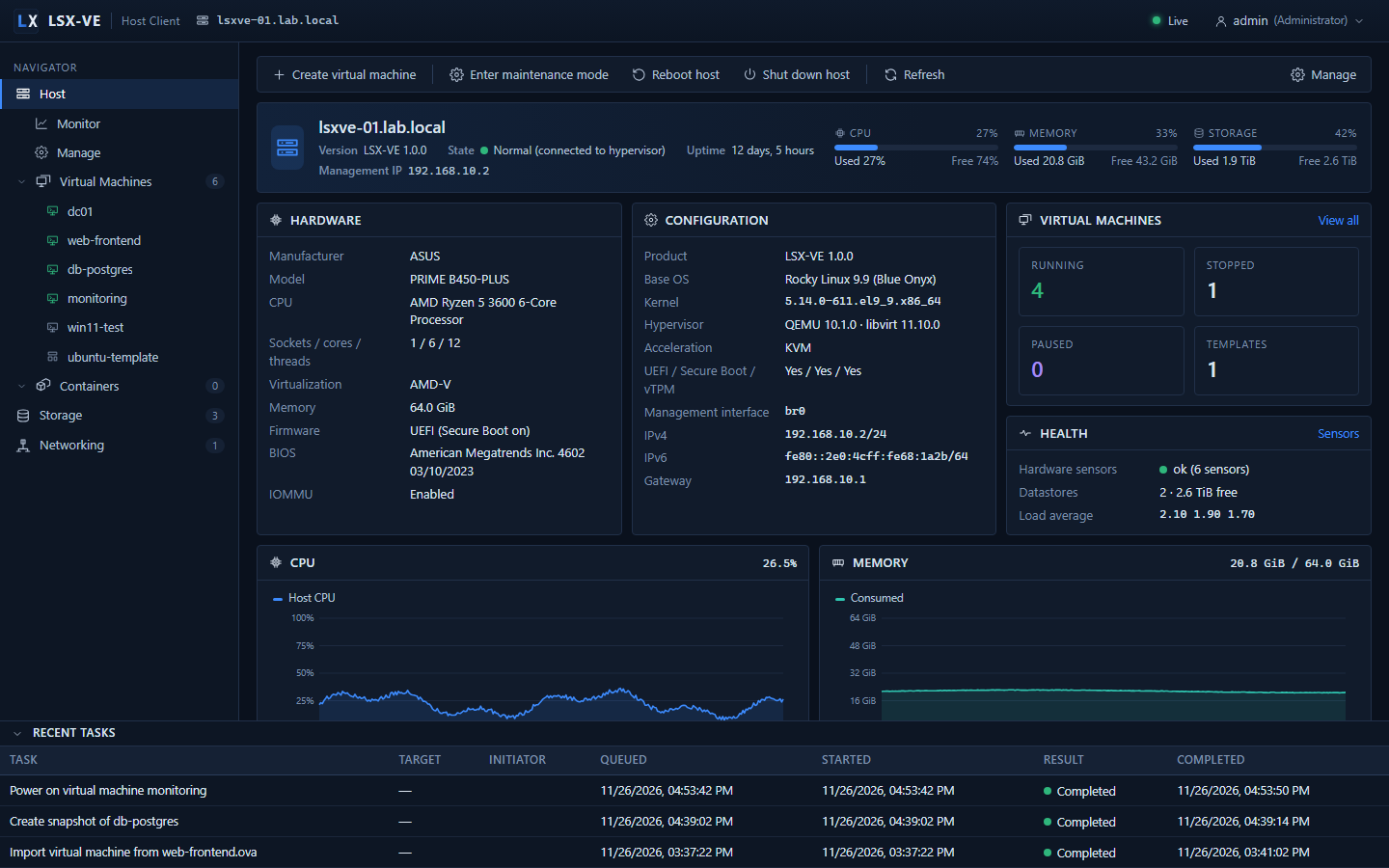
Inventory on the left, objects in tabs, actions in the toolbar and recent tasks at the bottom.
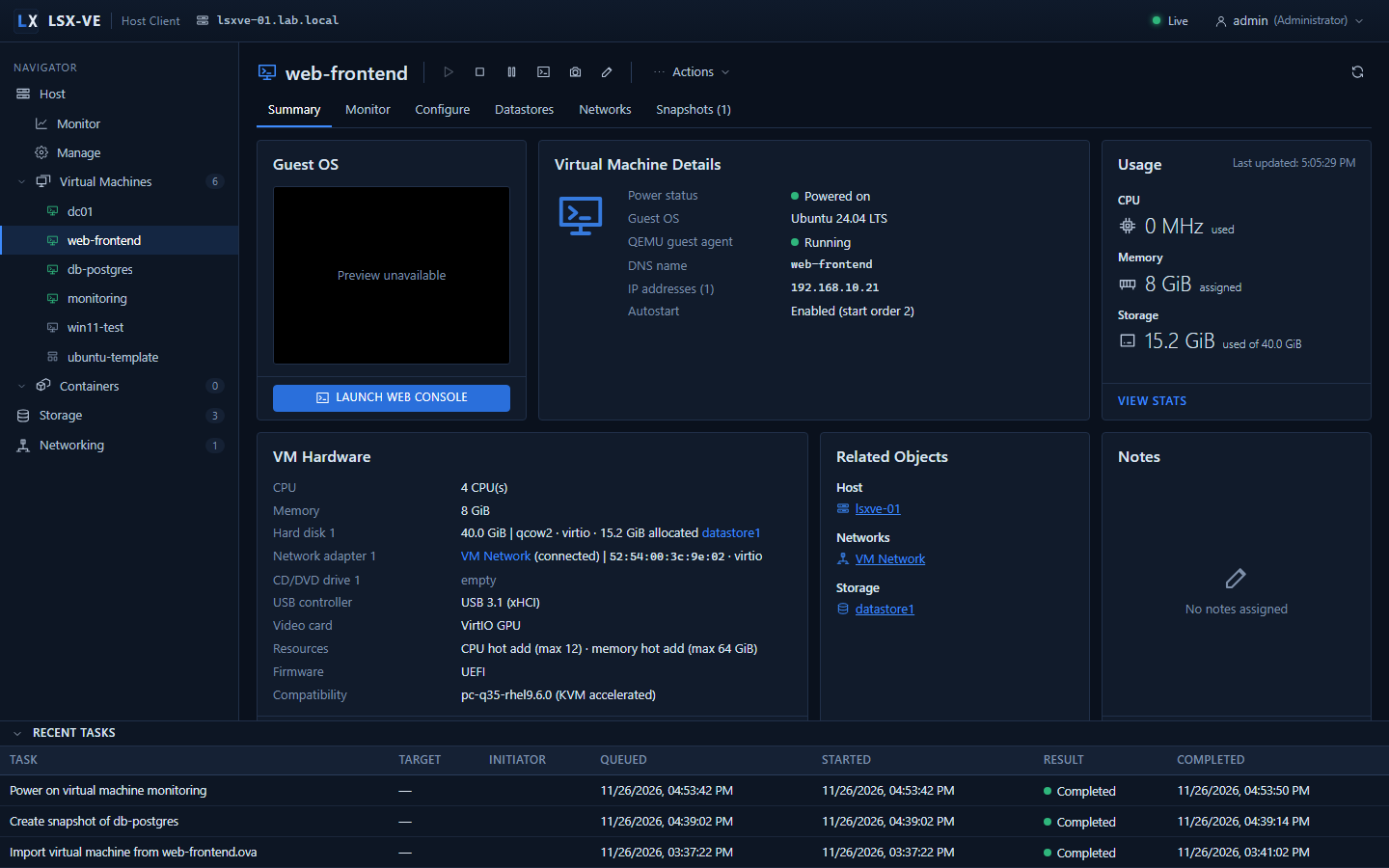
Real web console, shown with sample inventory data.
04 — Security
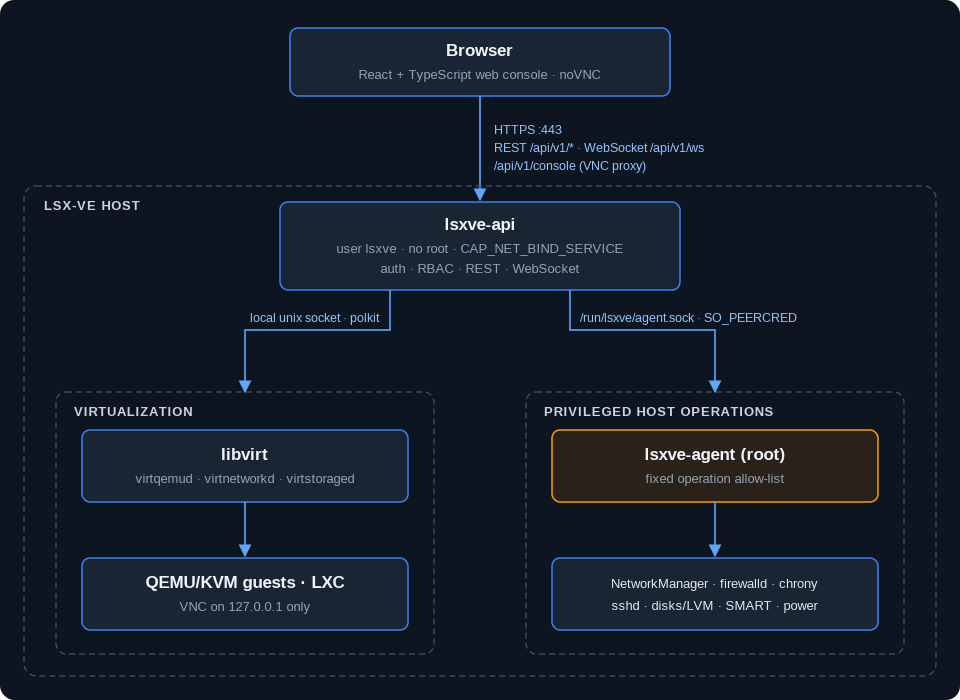
The browser never gets a shell. The web service runs unprivileged and asks a small root agent for a fixed set of operations — and because it is open source, you can check that for yourself.
05 — Architecture
A Python API and a privileged agent on top of libvirt, QEMU/KVM and LXC — all on Rocky Linux 9.
06 — Install
One Python script builds the installer image from Rocky Linux 9 media.
python build/build.pyWrite the ISO to USB, boot the server, choose the disk and confirm by typing its name.
The installer asks for network, time and the root password — the web admin uses it too.
The direct console shows the address. Open it in a browser and log in as admin.
https://<management-ip>/Nested virtualization works on VMware Workstation and ESXi — handy for a first try.
Get the source, build the ISO and run LSX-VE on as many hosts as you like — under the MIT License.